Game updates, plugin versions and improvements to our interface with a traceable history.
Recorded, available and installed are different states. Your actual installation status and suitable updates are shown in the server panel.
InterfaceChange documented
Guided startup parameters: revised
The guided tools were revised in the shared panel code. The entry concerns the interface or its processing. The date records the change; availability on an individual server depends on the game, software, plugins and permissions.
InterfaceChange documented
Guided startup parameters: revised
The guided tools were revised in the shared panel code. The entry concerns the interface or its processing. The date records the change; availability on an individual server depends on the game, software, plugins and permissions.
InterfaceChange documented
Guided startup parameters: revised
The guided tools were revised in the shared panel code. The entry concerns the interface or its processing. The date records the change; availability on an individual server depends on the game, software, plugins and permissions.
InterfaceChange documented
Guided startup parameters: revised
The guided tools were revised in the shared panel code. The entry concerns the interface or its processing. The date records the change; availability on an individual server depends on the game, software, plugins and permissions.
Developer announcementPublished
Art Pass Contest
Announcement from the official source. The source describes the changes; your server installation status is shown separately in the update center.
The guided tools were revised in the shared panel code. The entry concerns the interface or its processing. The date records the change; availability on an individual server depends on the game, software, plugins and permissions.
InterfaceChange documented
Guided startup parameters: revised
The guided tools were revised in the shared panel code. The entry concerns the interface or its processing. The date records the change; availability on an individual server depends on the game, software, plugins and permissions.
Developer announcementPublished
Operation Lithium Lunacy
Announcement from the official source. The source describes the changes; your server installation status is shown separately in the update center.
The guided tools were revised in the shared panel code. The entry concerns the interface or its processing. The date records the change; availability on an individual server depends on the game, software, plugins and permissions.
InterfaceChange documented
Guided startup parameters: revised
The guided tools were revised in the shared panel code. The entry concerns the interface or its processing. The date records the change; availability on an individual server depends on the game, software, plugins and permissions.
Developer announcementPublished
MGE.tf is back!
Announcement from the official source. The source describes the changes; your server installation status is shown separately in the update center.
The guided tools were revised in the shared panel code. The entry concerns the interface or its processing. The date records the change; availability on an individual server depends on the game, software, plugins and permissions.
InterfaceChange documented
Guided startup parameters: revised
The guided tools were revised in the shared panel code. The entry concerns the interface or its processing. The date records the change; availability on an individual server depends on the game, software, plugins and permissions.
InterfaceChange documented
Guided startup parameters: revised
The guided tools were revised in the shared panel code. The entry concerns the interface or its processing. The date records the change; availability on an individual server depends on the game, software, plugins and permissions.
InterfaceChange documented
Guided startup parameters: revised
The guided tools were revised in the shared panel code. The entry concerns the interface or its processing. The date records the change; availability on an individual server depends on the game, software, plugins and permissions.
InterfaceChange documented
Guided startup parameters: revised
The guided tools were revised in the shared panel code. The entry concerns the interface or its processing. The date records the change; availability on an individual server depends on the game, software, plugins and permissions.
InterfaceChange documented
Guided startup parameters: revised
The guided tools were revised in the shared panel code. The entry concerns the interface or its processing. The date records the change; availability on an individual server depends on the game, software, plugins and permissions.
InterfaceChange documented
Guided startup parameters: revised
The guided tools were revised in the shared panel code. The entry concerns the interface or its processing. The date records the change; availability on an individual server depends on the game, software, plugins and permissions.
InterfaceChange documented
Guided startup parameters: revised
The guided tools were revised in the shared panel code. The entry concerns the interface or its processing. The date records the change; availability on an individual server depends on the game, software, plugins and permissions.
InterfaceChange documented
Guided startup parameters: revised
The guided tools were revised in the shared panel code. The entry concerns the interface or its processing. The date records the change; availability on an individual server depends on the game, software, plugins and permissions.
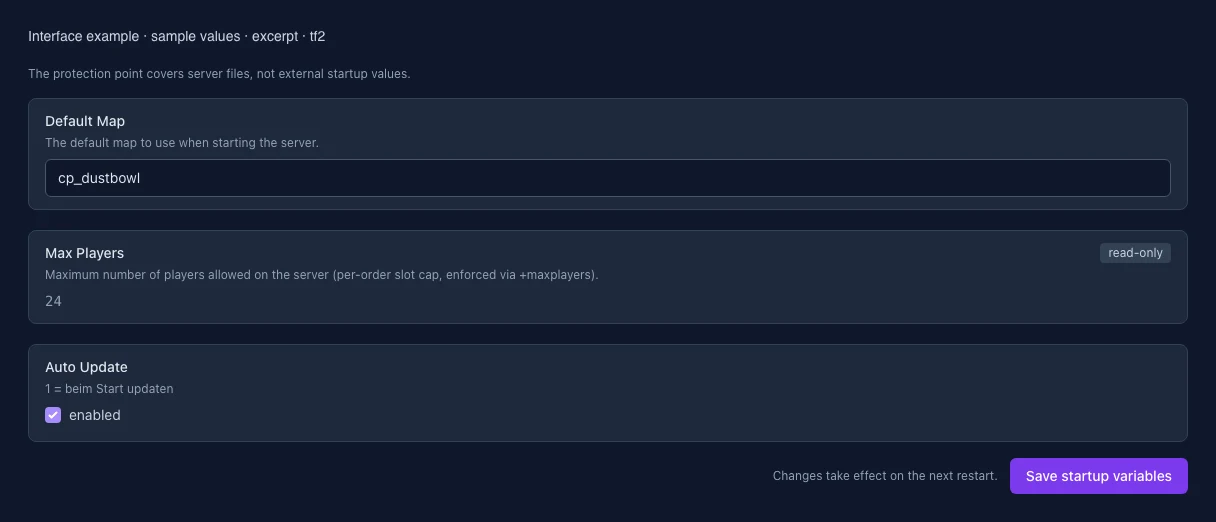
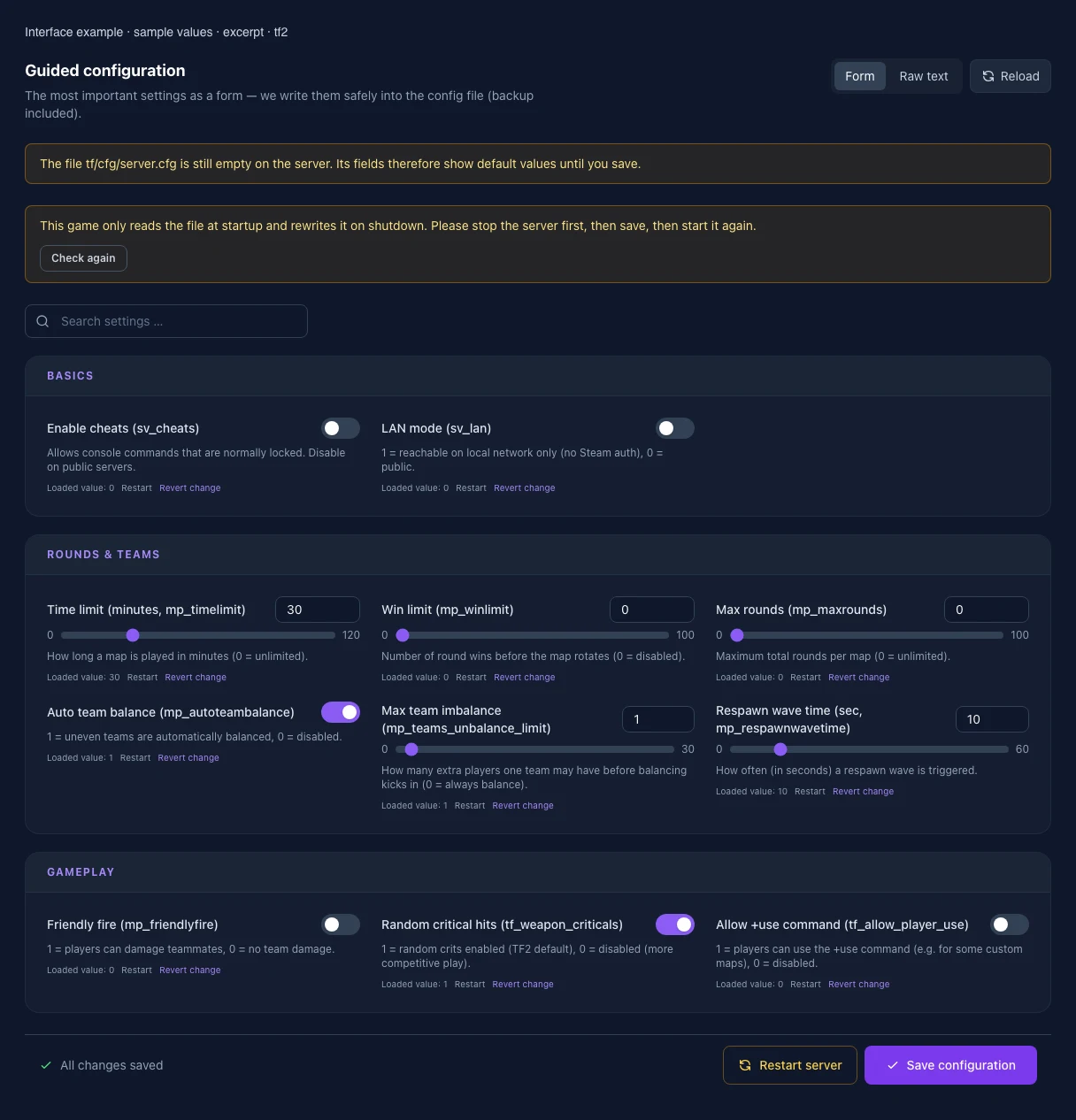
What the interface looks like
The image shows the interface on its capture date; earlier versions may differ.
Excerpt of the current interface with sample values. Values and prerequisites illustrate the controls; available tools depend on server software, plugins and permissions. · Captured on 2026-10-08Excerpt of the current interface with sample values. Values and prerequisites illustrate the controls; available tools depend on server software, plugins and permissions. · Captured on 2026-10-08
What the settings do
These values come from our guided editors. Defaults are the editor starting values; they do not show the contents of a customer server.
Enable cheats (sv_cheats)
Allows console commands that are normally locked. Disable on public servers.
Setting
sv_cheats
Default
0
LAN mode (sv_lan)
1 = reachable on local network only (no Steam auth), 0 = public.
Setting
sv_lan
Default
0
Time limit (minutes, mp_timelimit)
How long a map is played in minutes (0 = unlimited).
Setting
mp_timelimit
Default
30
Range / options
0 – 120
Win limit (mp_winlimit)
Number of round wins before the map rotates (0 = disabled).
Setting
mp_winlimit
Default
0
Range / options
0 – 100
Max rounds (mp_maxrounds)
Maximum total rounds per map (0 = unlimited).
Setting
mp_maxrounds
Default
0
Range / options
0 – 100
Auto team balance (mp_autoteambalance)
1 = uneven teams are automatically balanced, 0 = disabled.
Setting
mp_autoteambalance
Default
1
Max team imbalance (mp_teams_unbalance_limit)
How many extra players one team may have before balancing kicks in (0 = always balance).
Setting
mp_teams_unbalance_limit
Default
1
Range / options
0 – 30
Respawn wave time (sec, mp_respawnwavetime)
How often (in seconds) a respawn wave is triggered.
Setting
mp_respawnwavetime
Default
10
Range / options
0 – 60
Friendly fire (mp_friendlyfire)
1 = players can damage teammates, 0 = no team damage.