Developer announcement
Published
Steam Winter Sale 2025
Announcement from the official source. The source describes the changes; your server installation status is shown separately in the update center.
Game updates, plugin versions and improvements to our interface with a traceable history.
Recorded, available and installed are different states. Your actual installation status and suitable updates are shown in the server panel.
Announcement from the official source. The source describes the changes; your server installation status is shown separately in the update center.
Announcement from the official source. The source describes the changes; your server installation status is shown separately in the update center.
Announcement from the official source. The source describes the changes; your server installation status is shown separately in the update center.
No independent plugin compatibility test is documented for this announcement. Check the affected plugins in the update center before changing game versions.
Announcement from the official source. The source describes the changes; your server installation status is shown separately in the update center.
No independent plugin compatibility test is documented for this announcement. Check the affected plugins in the update center before changing game versions.
Announcement from the official source. The source describes the changes; your server installation status is shown separately in the update center.
Announcement from the official source. The source describes the changes; your server installation status is shown separately in the update center.
No independent plugin compatibility test is documented for this announcement. Check the affected plugins in the update center before changing game versions.
Announcement from the official source. The source describes the changes; your server installation status is shown separately in the update center.
Announcement from the official source. The source describes the changes; your server installation status is shown separately in the update center.
No independent plugin compatibility test is documented for this announcement. Check the affected plugins in the update center before changing game versions.
Announcement from the official source. The source describes the changes; your server installation status is shown separately in the update center.
Announcement from the official source. The source describes the changes; your server installation status is shown separately in the update center.
Announcement from the official source. The source describes the changes; your server installation status is shown separately in the update center.
No independent plugin compatibility test is documented for this announcement. Check the affected plugins in the update center before changing game versions.
Announcement from the official source. The source describes the changes; your server installation status is shown separately in the update center.
Announcement from the official source. The source describes the changes; your server installation status is shown separately in the update center.
Announcement from the official source. The source describes the changes; your server installation status is shown separately in the update center.
Announcement from the official source. The source describes the changes; your server installation status is shown separately in the update center.
Announcement from the official source. The source describes the changes; your server installation status is shown separately in the update center.
Announcement from the official source. The source describes the changes; your server installation status is shown separately in the update center.
No independent plugin compatibility test is documented for this announcement. Check the affected plugins in the update center before changing game versions.
Announcement from the official source. The source describes the changes; your server installation status is shown separately in the update center.
Announcement from the official source. The source describes the changes; your server installation status is shown separately in the update center.
No independent plugin compatibility test is documented for this announcement. Check the affected plugins in the update center before changing game versions.
Announcement from the official source. The source describes the changes; your server installation status is shown separately in the update center.
The image shows the interface on its capture date; earlier versions may differ.
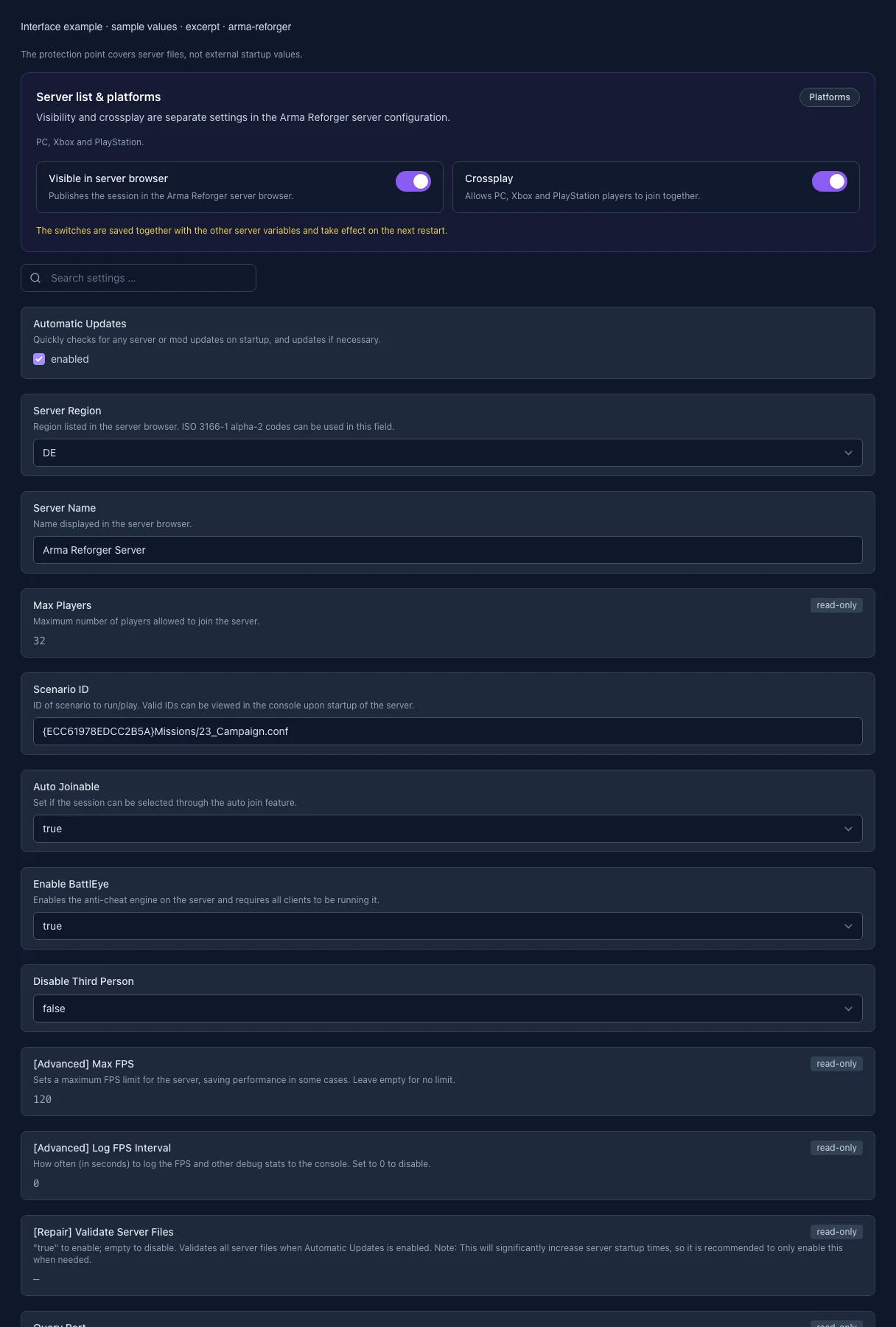
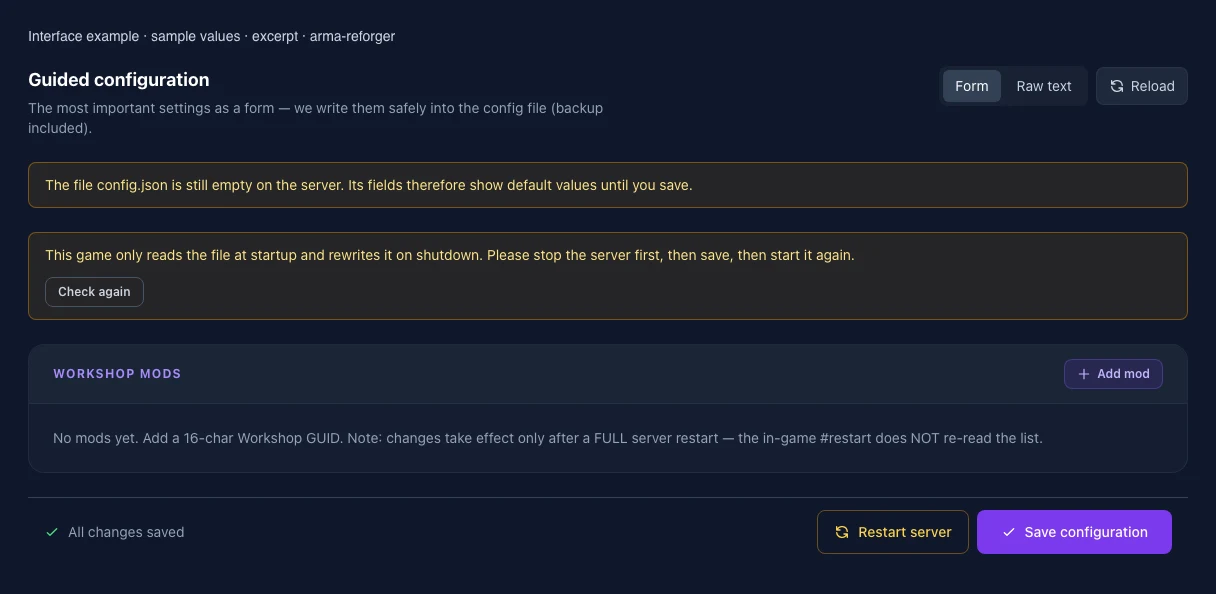
These values come from our guided editors. Defaults are the editor starting values; they do not show the contents of a customer server.
Quickly checks for any server or mod updates on startup, and updates if necessary.
Region listed in the server browser. ISO 3166-1 alpha-2 codes can be used in this field.
Name displayed in the server browser.
Maximum number of players allowed to join the server.
ID of scenario to run/play. Valid IDs can be viewed in the console upon startup of the server.
Set if the session can be selected through the auto join feature.
Set the visibility of the server in the Server Browser.
Allow PC, Xbox and PlayStation players to join the same server.
Enables the anti-cheat engine on the server and requires all clients to be running it.
Sets a maximum FPS limit for the server, saving performance in some cases. Leave empty for no limit.
How often (in seconds) to log the FPS and other debug stats to the console. Set to 0 to disable.
"true" to enable; empty to disable. Validates all server files when Automatic Updates is enabled. Note: This will significantly increase server startup times, so it is recommended to only enable this when needed.
Steam A2S query port (config.json a2s.port). Wired to the second allocation by CreateServerJob.